
SwiftMTP
A lightweight, modern macOS app for MTP device management.
Requires macOS 12.0 or later · Universal binary (Apple Silicon & Intel)
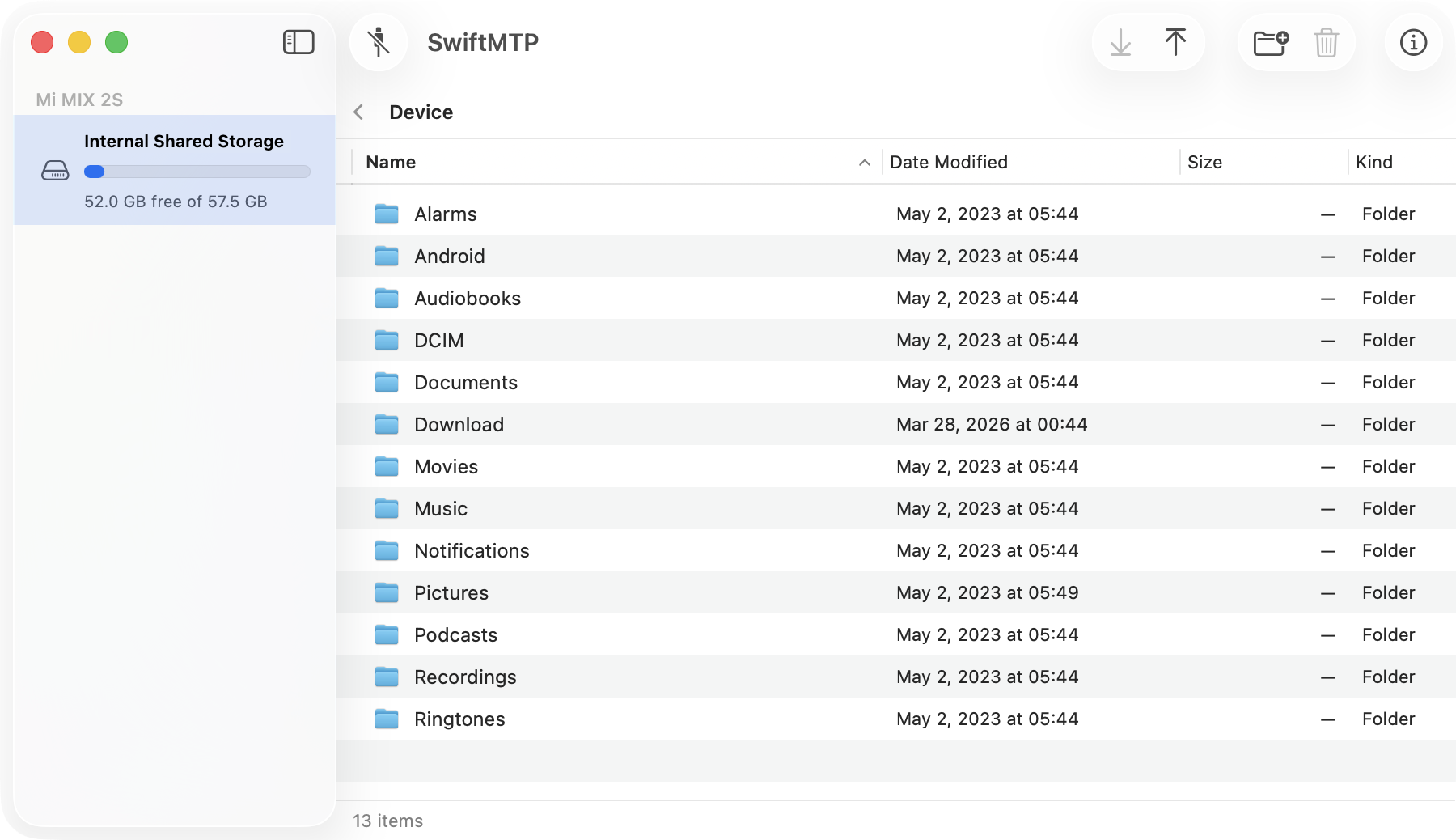
A lightweight, modern macOS app for MTP device management.
Requires macOS 12.0 or later · Universal binary (Apple Silicon & Intel)
A focused feature set designed to make MTP management effortless on macOS.
Built with SwiftUI & AppKit with familiar controls, Quick Look preview support and smooth animations.
Easily add your frequently accessed folders to personal favorites for quick and convenient navigation.
Import files by dragging them straight from Finder into SwiftMTP and vice versa.
Under 20 MB installed. No bloat, no runtime.
Complete multilingual support via Localizable.xcstrings — including CJK characters rendered
correctly.
Live transfer progress bars and status indicators keep you informed at every step.
Discover a more efficient way to manage your MTP devices.
Find your files naturally. Just type what you're looking for, like 'Photos from my last vacation' or 'Work documents from 2024'.

Get smart insights about your device hardware, connectivity status, and potential performance optimizations.
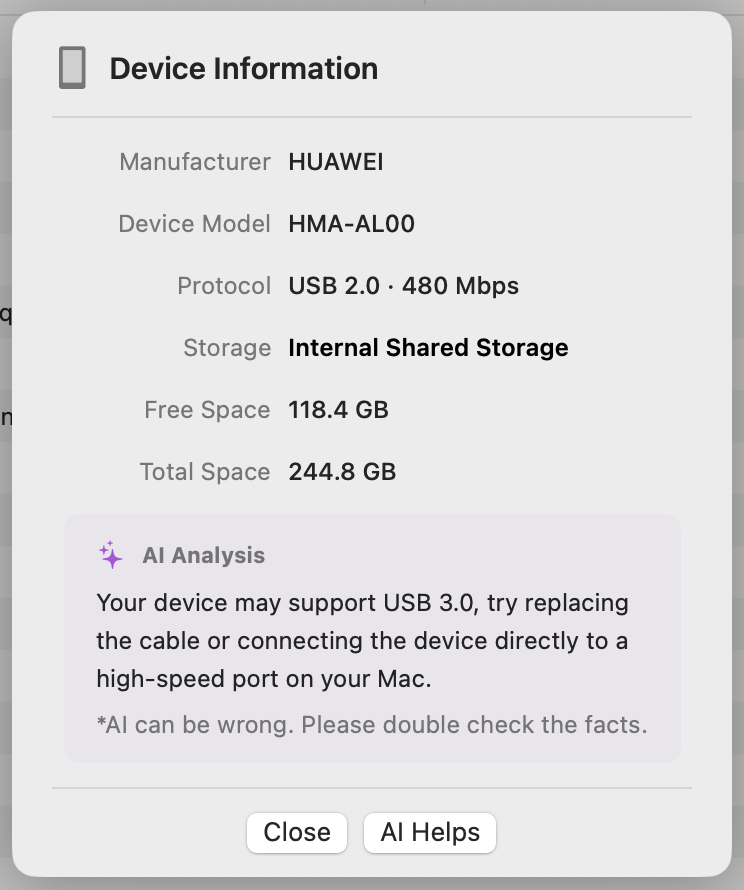
Automate tasks or manage devices quickly with our brand-new command-line interface. Features stateless commands and a persistent interactive shell.
SwiftMTP is trying to become even better.
| SwiftMTP | Android File Transfer | Open Source A | Open Source B | App Store A | App Store B | App Store C | |
|---|---|---|---|---|---|---|---|
| Architecture | Universal | Intel-only | Separate pkg | Apple Silicon | Universal | Apple Silicon | Universal |
| macOS Support | 12.0+ | 10.7+ | 11.0+ | 13.0+ | 10.15+ | 12.0+ | 14.6+ |
| App Size | < 20 MB | < 20 MB | ~360 MB | ~20 MB | < 20 MB | < 20 MB | < 20 MB |
| Transfer Speed | Fast | Average | Fast | Average | Slow | Average | Not working |
| User Interface | Native Swift | Legacy | Web-based | Native Swift | Near-Native | Near-Native | Near-Native |
| Localization | Multiple languages | Multiple languages | English Only | English Only | English Only | Latin alphabets Only | English Only |
| Drag & Drop | ✓ Supported | ✓ Supported | ✓ Supported | - | — | ✗ None | — |
| ADB Debugging | No | No | No | Required | No | No | - |
| Multi-device | ✓ Supported | ✓ Supported | ✗ No | - | - | - | - |
Get SwiftMTP up and running on your Mac in just a few steps.
Grab the latest .dmg from the Releases page, or
build from source using Xcode 15+.
Plug in your Android phone via USB and set it to File Transfer (MTP) mode. SwiftMTP will detect it automatically.
Navigate your device's file system, drag & drop files, and watch real-time progress as your files move at full speed.
SwiftMTP currently supports English, Chinese, Japanese, and Spanish. Every user deserves a native experience in their own language — and we can't do it alone. You can improve the translation or add your new language freely. Your contribution makes a real difference.
Open Localizable.xcstrings and add your translations — it's that simple.